Free · No ads · Never in your way

A video downloader for Windows and Chrome

Use the Ruxget Windows app to save YouTube videos as MP4 or MP3, or select individual videos from a playlist. The browser extension downloads videos from Bilibili and other supported sites.

Desktop 0.4.108 · Chrome / Edge · Windows 10 and 11 · updates itself

The Chrome Web Store extension does not support YouTube. For YouTube, use the Windows app directly.

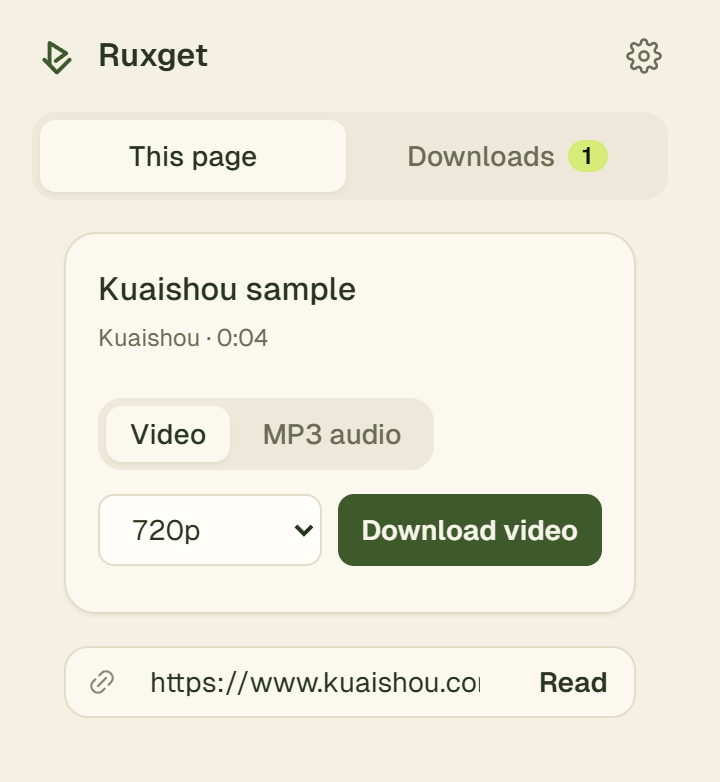
Ruxget’s popup on a Kuaishou video page

Chrome extension · actual interface

Chrome Web Store extension BilibiliDouyinKuaishouXiaohongshu and media detected on other sites you allow

Chrome extension: save as you watch

Ruxget reads the title and qualities from the page you're on. Pick MP4 or MP3 and it saves one complete file — picture and sound already together.

  • Highest quality picked for you; change it any time
  • MP3 with title, artist and cover
  • Your last downloads stay one click away
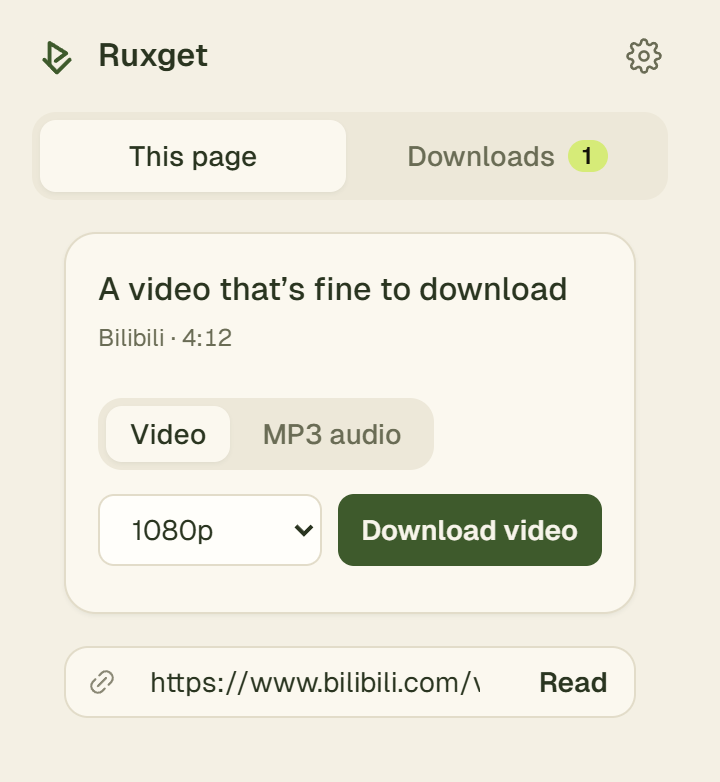
Ruxget on a Bilibili video page: choose a quality, save MP4 or MP3

Subtitles and whole series

On Bilibili, save the subtitles as SRT next to the video, or tick the parts of a multi-part video and download them in one go.

YouTube, directly in the Windows app

Open the Windows app and paste a video link. Choose video or MP3, a quality limit and a save folder. For a YouTube playlist, read the list and select only the videos you want. No browser extension is required.

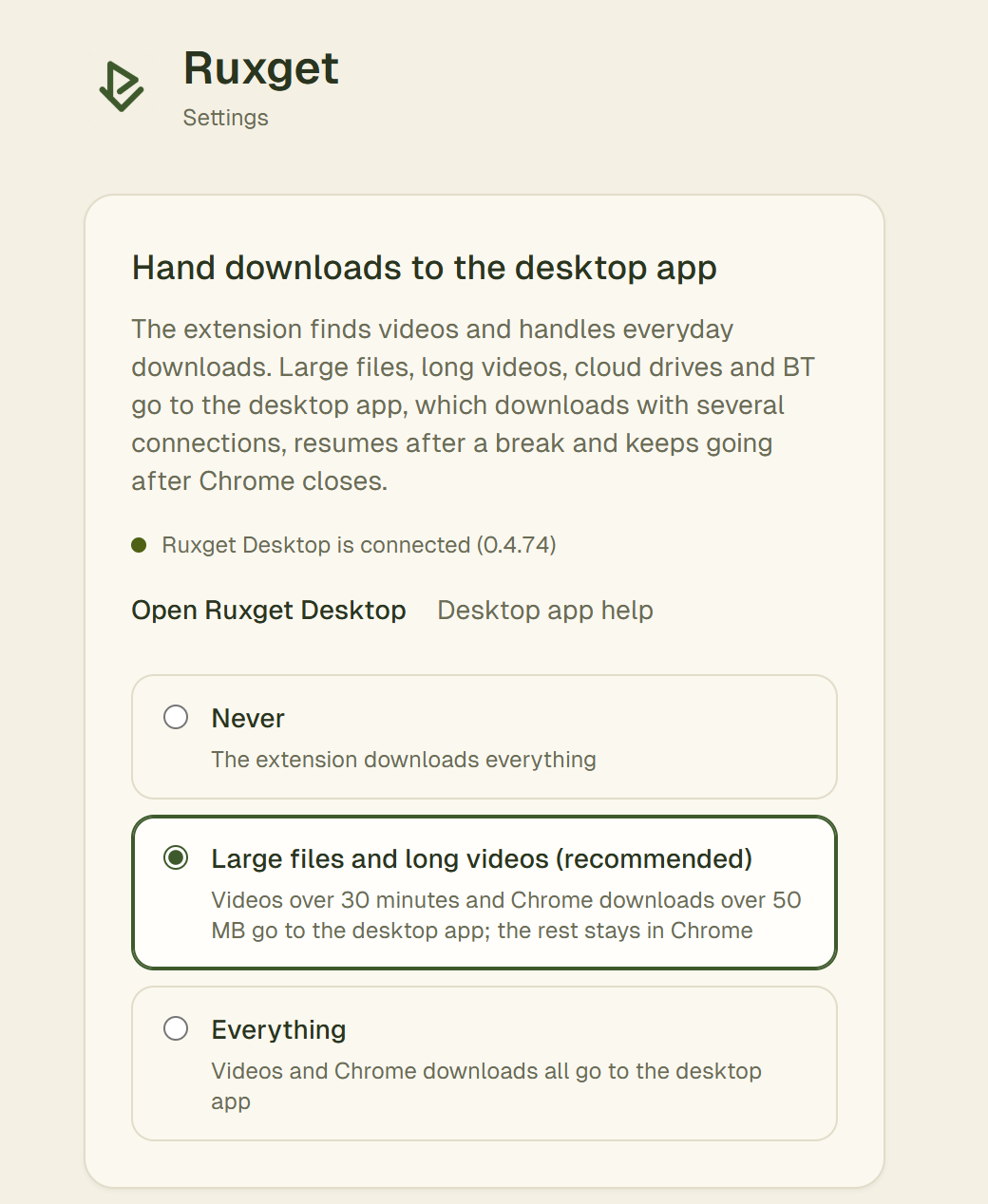
For supported sites, the extension can also hand downloads to the app; choose which ones in its settings. The Chrome Web Store extension does not parse or hand off YouTube downloads.

Extension settings: choose which downloads go to the desktop app

Never in your way

No ads, no account, no pop-up windows or notifications. Nothing is taken over by default — it stays quiet until you need it, then it's one click.

Plain about your data

What Ruxget reads, what it hands to the desktop app and what stays on your computer is all written out in the privacy notice.

Only what you allow

No software usage tracking or advertising trackers. This website only collects aggregate visit and button-click statistics. Your downloads stay on your computer.

Pick what fits

Windows app

YouTube and more · works on its own

  • Paste YouTube or Bilibili video links
  • Save MP4 or MP3; choose from a YouTube playlist
  • Multi-threaded file downloads, pause and resume
  • Cloud drives, BT and magnet links
  • BT uploads only while downloading and stops sharing when done; never in the background
  • Chrome download takeover is optional and off by default
Download for Windows

3.5 MB · Windows 10 / 11 · no extension required

Backup download: GitHub (latest version)

If Windows shows “Windows protected your PC”, click “More info” → “Run anyway”. Why?

Chrome Web Store extension

Lightweight downloads while you browse

  • Bilibili, Douyin, Kuaishou, Xiaohongshu
  • MP4, MP3, subtitles
  • Updates automatically
  • No YouTube parsing, downloading or handoff
Add to Chrome

Chrome / Edge · no desktop app required

Questions

Is it really free?

Yes. Everything is free today, with no ads. Ruxget is copyrighted software that is free to use. If optional paid features are ever added, the features that are free now will not become paid.

How do I download a YouTube video or playlist?

Use the standalone Windows app. Paste a video link and choose video or MP3. For a playlist, choose the playlist option, read the list and tick the videos you want before starting. Available qualities depend on the source. The Chrome Web Store extension does not provide YouTube downloads or hand them off to the app.

Do I need the Windows app?

For the sites supported by the Chrome Web Store extension, you can use the extension on its own. For YouTube, use the Windows app directly. The app also handles large files, cloud drives and BT, and works without an extension.

Windows says “Windows protected your PC” — what do I do?
  1. Click “More info” in that blue window.
  2. Click “Run anyway”, then follow the installer (about a minute).

Windows shows this for new programs that are not yet signed with a paid certificate. Installing asks for nothing else: no account, no bundled software, nothing that starts on its own.

Does BT use my upload in the background?

No. BT shares only while a download is running, within an upload limit you can set (512 KB/s by default, down to 16 KB/s). As soon as a download finishes it stops sharing (no seeding). When no BT task is left for 2 minutes, BT shuts down completely, so leaving the Windows app open uses none of your upload.

Is it safe?

Ruxget only works on sites you allow, doesn't read your clipboard, and doesn't collect your browsing or download history. What it handles is spelled out in the privacy notice.

Can it download paid or members-only videos?

Ruxget does not remove DRM or bypass payment, membership or login restrictions. It does not grant permission to download content. Follow the source site's terms and only save content you have the right to keep.

What does this website count?

This website counts visible page views and download-button clicks. Daily visitors are estimated using a daily keyed hash of the IP address and browser information; the statistics database does not retain the raw values. No analytics cookies or cross-day visitor IDs are used. Daily visitor hashes are cleaned up after about 90 days; daily totals remain. We respect Do Not Track and Global Privacy Control. When you download the installer from this site, the server also notes the time, the file, whether it was sent completely and whether the request came from a browser or from Ruxget Desktop’s automatic update, without the IP address or browser information, only to count downloads. Normal server logs remain separate. This adds no usage tracking to the extension or desktop app and does not read your downloaded files.

Guides in Chinese

Buy me a coffee

Thank you. Support is entirely optional and changes nothing in the apps.

In WeChat, press and hold the code to scan it. In other browsers, save the image and scan it with WeChat.